
Key Changes, Timelines, and Next Steps
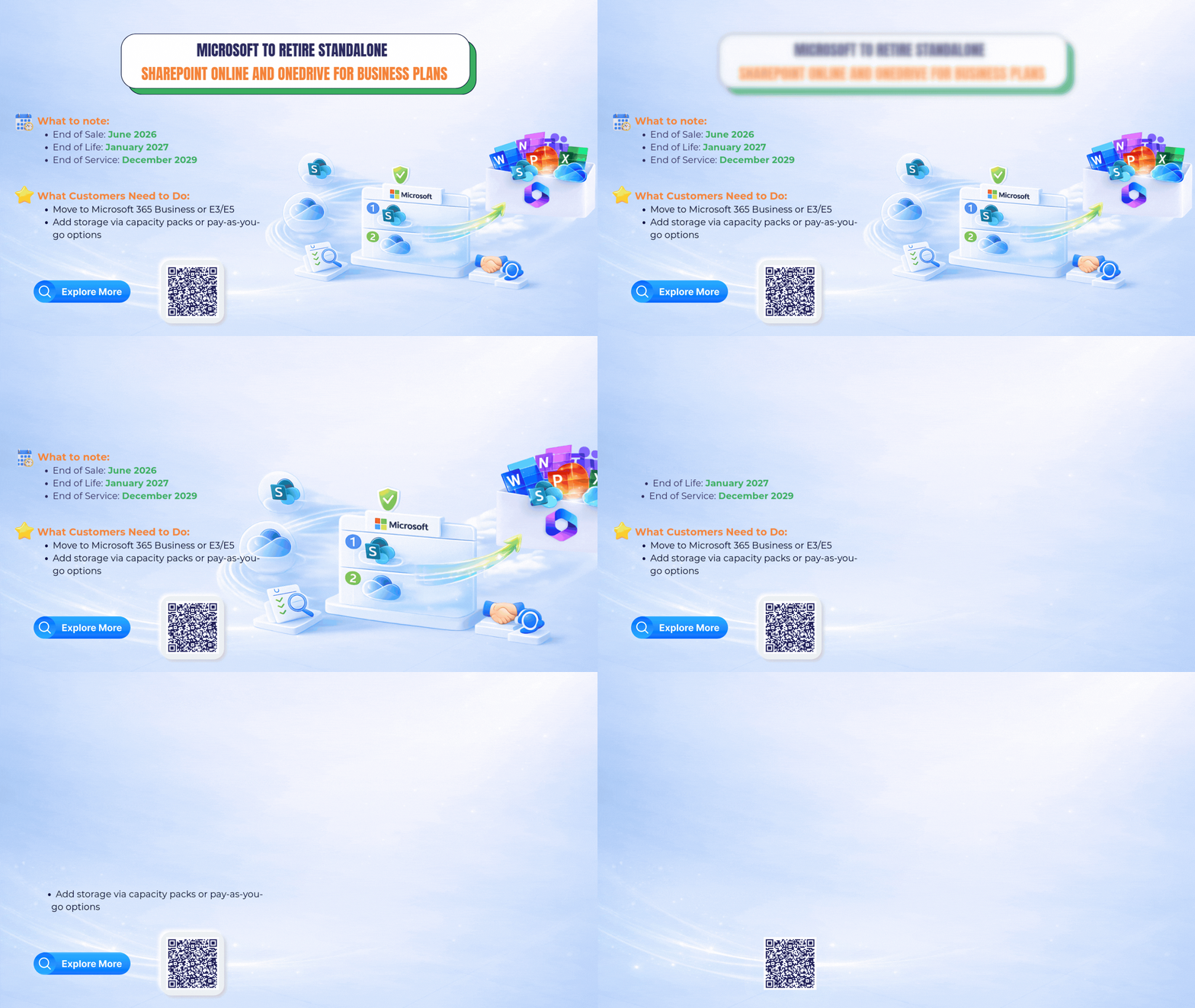
Microsoft has officially announced the retirement of standalone (separately purchased, non-Microsoft 365) SharePoint Online and OneDrive for Business plans (Plan 1 and Plan 2).
This move is part of Microsoft’s long-term strategy to simplify its cloud offerings and deliver a more secure, integrated, and scalable experience through Microsoft 365.
What Is Changing?
Microsoft will retire the following standalone, separately purchased plans:
-
- SharePoint Online Plan 1
- SharePoint Online Plan 2
- OneDrive for Business Plan 1
- OneDrive for Business Plan 2
These plans were available as individual subscriptions outside of Microsoft 365. Going forward, SharePoint and OneDrive will be offered primarily as part of Microsoft 365 plans, rather than as separate products.
Why Is Microsoft Making This Change?
Microsoft has outlined several reasons for retiring standalone plans:
-
- Lower customer demand compared to Microsoft 365 bundles
- Increased cases of non-standard or unintended usage
- Higher operational and maintenance costs
- A strategic focus on integrated, security-first cloud platforms
Microsoft 365 brings file storage, collaboration, security, and management together in a single, unified environment.
This change reflects Microsoft’s broader strategy to simplify its cloud portfolio and focus on more integrated, secure, and scalable solutions.
Key Timeline You Should Pay Attention To
Microsoft officially communicates the retirement plan to customers. There is no immediate impact on existing users.
Microsoft stops selling standalone SharePoint Online and OneDrive for Business plans.
-
- No new customers or tenants are allowed after May 31, 2026
- New purchases of standalone plans are no longer available
- Existing customers may continue renewing their subscriptions for the duration of their contracts
Purpose of this milestone: This marks the point where Microsoft prevents new deployments while allowing existing customers time to plan and transition.
-
- Renewals are no longer allowed
- Existing contracts remain active until they expire
All standalone SharePoint Online and OneDrive for Business plans are fully retired
Customers must transition to:
-
- Microsoft 365 suites: Continue using SharePoint and OneDrive as part of Microsoft 365.
- Storage capacity add-ons: Add more SharePoint storage within Microsoft 365 if additional space is needed.
- Pay-as-you-go storage options: Use flexible, usage-based storage for archived or less-used data.
Who Is Affected?
This change applies to organizations currently using:
-
- SharePoint Online Plan 1 or Plan 2 purchased separately (not part of Microsoft 365)
- OneDrive for Business Plan 1 or Plan 2 purchased separately (not part of Microsoft 365)
This retirement applies only to standalone SharePoint Online and OneDrive for Business plans.
SharePoint and OneDrive capabilities delivered through Microsoft 365 suites remain the primary way customers access these services.
What Does This Mean for End Users?
For most office users, daily work will remain familiar and uninterrupted:
-
- Files can still be stored, shared, and accessed securely
- Real-time collaboration continues as usual
- Users can work across devices using familiar Microsoft apps
With Microsoft 365, organizations often benefit from stronger security, improved collaboration, and simpler management.
What Should Organizations Do Next?
Confirm whether your organization is using standalone SharePoint or OneDrive plans purchased outside of Microsoft 365.
Microsoft recommends moving to:
-
- Microsoft 365 Business
- Microsoft 365 E3
- Microsoft 365 E5
Early planning helps avoid rushed migrations and ensures continuity.
Organizations can:
-
- Add additional SharePoint storage capacity within Microsoft 365
- Archive inactive or legacy data to reduce active storage usage
- Use flexible, usage-based storage options aligned with Microsoft 365
Organizations purchasing through a Cloud Solution Provider (CSP) should work closely with their partner to manage licensing, storage planning, and migration.
ITM Supports Your SharePoint & OneDrive Transition
As standalone SharePoint Online and OneDrive for Business plans (Plan 1 and Plan 2) are phased out, organizations need a clear and reliable path forward.
ITM is ready to support your transition with practical guidance on Microsoft 365 licensing, storage optimization, and secure data migration. Our team helps ensure continuity, minimize disruption, and align your collaboration environment with Microsoft’s long-term roadmap.
From planning to execution, ITM provides hands-on support tailored to your organization’s needs so you can move forward with confidence.
Contact ITM today to plan and execute a smooth transition to Microsoft 365, with expert guidance on licensing, storage, and data migration.